3.03 MB installer · Windows 10 and 11 · or from the terminal: winget install Mun1to.winshotx
For Linux, with X11 or GNOME on Wayland: .deb, .rpm or AppImage (the AppImage does not save MP4) · or the portable version for Windows, with nothing to install
114 ms. You didn't even get to blink.
Free for real: no 7-day trial and no subscription.
It fits on three floppy disks. Real ones.
No account. It doesn't even ask for your email.
The demo
This isn't a video: drag over the screen below, just like you would on yours.
0 × 0
#000000
11or click to capture it whole
0:00
Editor
0:00.0
Click here to add a zoom
Version 0.6.0
When you press the shortcut
Capture a regionCtrlShift2
Capture and open the editorWinShiftL
Wait before capturingthe screen freezes when you press the shortcut
Hide desktop iconsonly while the shot lasts
After capturing
Thumbnail in the corner
The capture
Include the cursor
Pixel magnifier
When you release the mousethe bar appears, to copy, save or edit
Copy when saving
Shutter sound
Background on capturescaptures come out as they are
How it records
Record a regionthe same shortcut ends itCtrlShift5
Zoom keyzooms the video in on the mouseCtrlShift9
Frames per second
The sound
System audiowhatever the speakers play, in the video
Microphoneyour voice, to narrate what is being recorded
Sound when it startsbefore recording, never inside the video
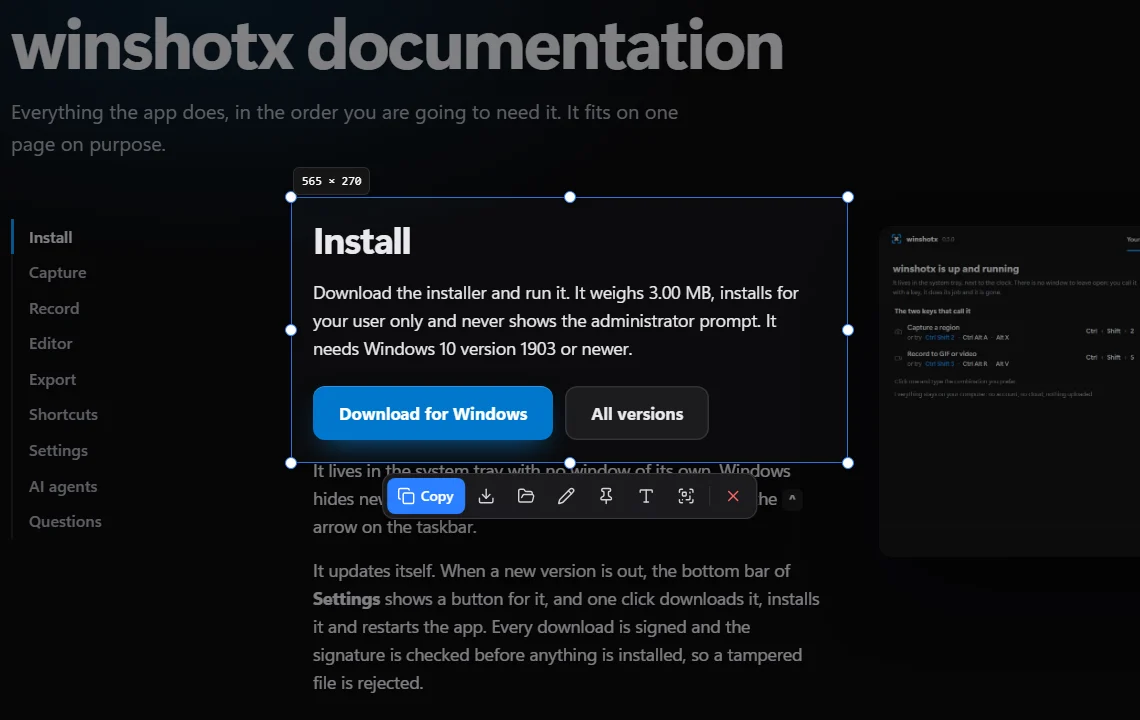
The screen freezes when you press your shortcut and you crop over a still picture, so nothing moves while you choose.
A 6× magnifier with the exact colour
One click takes the whole window
A long page, whole, scrolling by itself
Record what happens
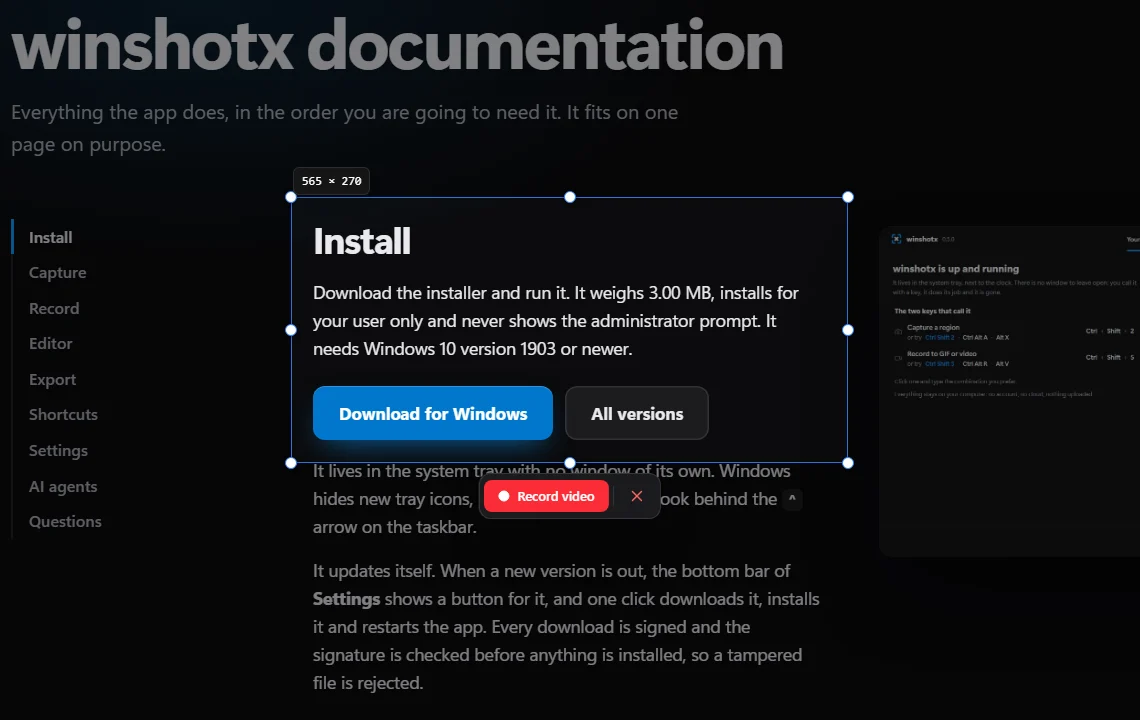
MP4 or GIF of an area, a window or the whole screen, with your voice and your webcam if you want.
The PC sound and your microphone, each on its own track
Your webcam, in a circle or with the corners you like
One key keeps the last 30 seconds
Get it ready to show
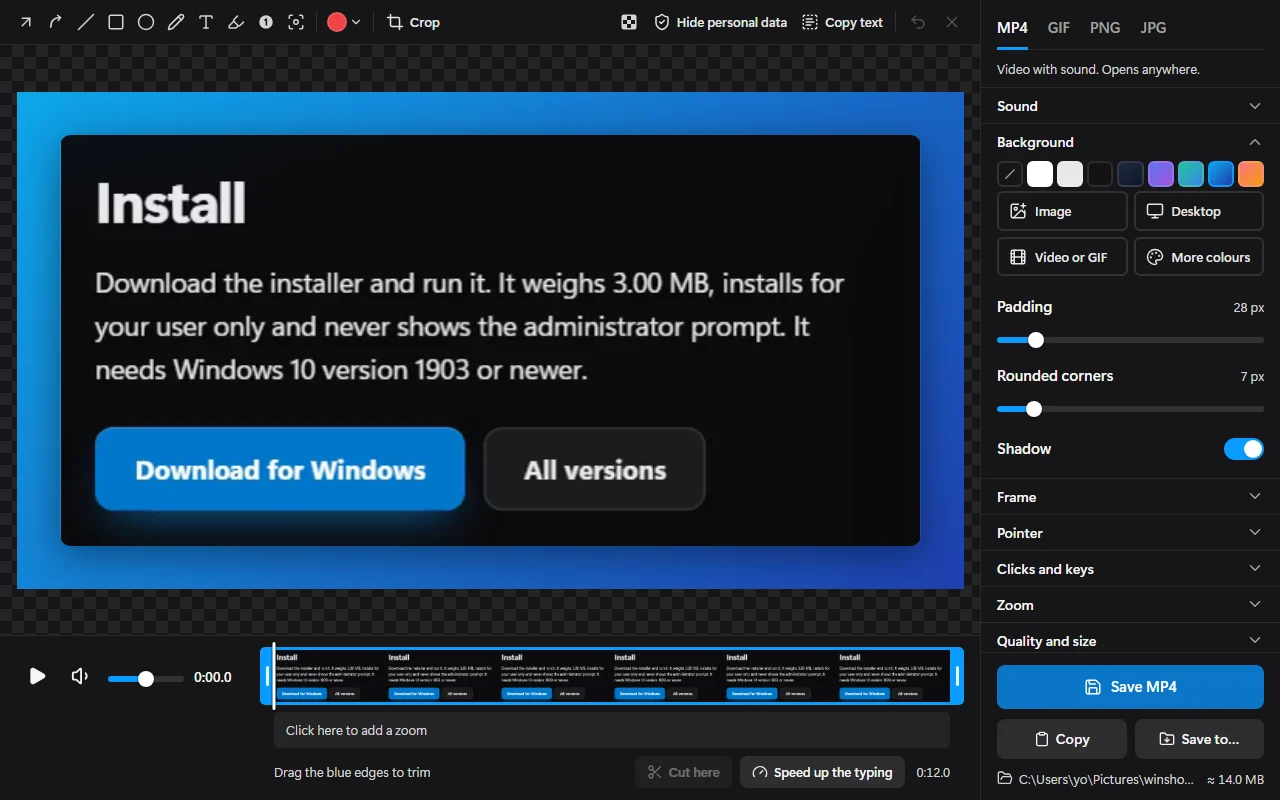
The editor trims on the timeline and adds a background, corners and a shadow without leaving the window.
Zooms you place, or on every click
Cut a piece out of the middle and speed up the slow bits
Hides emails, phone numbers and cards in one click
Your AI agent can record the screen too
Claude Code, Codex or Cursor record, stop, export the video and take screenshots with winshotx, with one command or through its MCP server. While they record you see the frame, as always.
Your agent records the demo. You go grab a coffee.
# once: add it to Claude CodePS> claude mcp add --scope user winshotx -- "$env:LOCALAPPDATA\winshotx\winshotx.exe" mcp# or from any terminalPS> winshotx agent record --screen 0 --max-seconds 20PS> winshotx agent stop{"ok":true,"session":"3f9c0a1b2d", ...}PS> winshotx agent export 3f9c0a1b2d --out demo.mp4 --zoom-on-clicks 0.5
What's new
It updates itself from inside the app. These are the last three versions.
winshotx runs on Linux, with X11 and with GNOME on Wayland: area capture, the editor, GIF and MP4 recording with sound and webcam, scrolling capture, reading text, the last few seconds and AI agents. It installs from the .deb (Debian and Ubuntu), the .rpm (Fedora) or the AppImage.
Take a shot while recording: with a recording running, the capture shortcut opens the selection, and neither the selection nor the thumbnail shows up in the video.
Yes, all of it. It's open source under the MIT licence: the full code is on GitHub, with no time limit and no feature locked behind a payment.
Does it need an account or an internet connection?
No. It never asks for an account, sends nothing to any cloud, and works offline; the only moment it talks to the internet is to check for a new version.
Which systems does it run on?
Windows 10 (version 1903 or later), Windows 11 and, since version 0.6.0, Linux, with X11 or with GNOME on Wayland: a .deb for Debian and Ubuntu, an .rpm for Fedora and an AppImage for the rest, which does not save MP4 video. Not on macOS yet.
Which languages is the app in?
Spanish, English and Chinese. It follows your Windows language on its own, and in Settings you can pick another one whenever you like. Every label, every explanation and the welcome screen are translated.
How do you install and update it?
The installer is 3.03 MB and goes to your user, not the system, so Windows never asks for administrator rights. It updates itself from inside the app with one button, and every download is signed and checked before anything is installed.
Can it be installed with winget?
Yes. It is published in the official winget-pkgs catalogue, so winget install Mun1to.winshotx installs it and winget upgrade Mun1to.winshotx updates it. A new version takes a few hours to show up in the catalogue: while it does, the app updates itself from Settings.
Is it on the Microsoft Store?
Yes, since 7 September 2026: apps.microsoft.com. It is the same app, and there the package is signed by Microsoft and the Store keeps it updated, so the app's own updater stays out of the way. The installer from this page and winget give you exactly the same thing.
What can it capture and record?
An area, a window or the whole screen, and a long page scrolling by itself; video and GIF at 15, 30 or 60 fps with the PC sound and your microphone on separate tracks, and your webcam if you want; the last 15, 30 or 60 seconds without having pressed record; and an editor with zooms you place or on every click, your own backgrounds, corners and shadow, trimming on the timeline, ten marks to annotate, a mosaic, and personal data covered up in one click.
Can AI agents use it?
Yes. Claude Code, Codex, Cursor or any agent that uses the terminal records, stops, exports and captures with the winshotx agent command, and the ones that speak MCP get it as a server with winshotx mcp. While they record you see the frame, as always.
What does it still lack compared to the Windows Snipping Tool?
Two things. It does not come preinstalled: you have to install it. And it speaks three languages, Spanish, English and Chinese, while the Windows one speaks all of them. The point by point comparison is just below, including where winshotx loses.
Head to head
What winshotx does and the other ten do not, and where one of them wins. Time and memory, measured; the rest, from each one's own website.
8 times faster than the one Windows ships. Just saying.
Which one do you use now?
114 ms
from the shortcut to the selection, already painted, with three screens
winshotx114 ms
Snipping Tool920 ms
33 MB
of memory while you capture
winshotx33 MB
Snipping Tool253 MB
31 MB
waiting in the tray
winshotx31 MB
Snipping Tool98 MB
Measured on the same Windows 11 machine, three runs each, both starting from cold. The clock stops when the selection is already on screen.
3.03 MB
winshotx
Comes with Windows
Snipping Tool
What the installer weighs.
Where winshotx wins
A video with zooms that follow your clicks, and a backgroundSnipping Tool: no
Covers the personal data in a video by itselfSnipping Tool: no
An AI agent can drive itSnipping Tool: no
Covers the personal data in an image by itselfSnipping Tool: emails and phone numbers
Keeps the last seconds without pressing recordSnipping Tool: no
Pins a shot on top of everythingSnipping Tool: no
And also: runs on Linux; captures a long page, scrolling by itself; records GIF; puts your webcam on top of the video; and draws arrows, text and numbered steps.
Where the Snipping Tool wins
Comes with WindowsSnipping Tool: yes
Speaks more languagesSnipping Tool: 64 languages; winshotx, 3
Both: read the text in the image; record MP4 video; PC sound and microphone; and capture an area.
A video with zooms that follow your clicks, and a backgroundXbox Game Bar: no
Covers the personal data in a video by itselfXbox Game Bar: no
An AI agent can drive itXbox Game Bar: no
Covers the personal data in an image by itselfXbox Game Bar: no
Pins a shot on top of everythingXbox Game Bar: no
Runs on LinuxXbox Game Bar: no
And also: captures a long page, scrolling by itself; reads the text in an image, and in a video; records GIF; puts your webcam on top of the video; draws arrows, text and numbered steps; needs no account; and captures an area of the screen.
Where Xbox Game Bar wins
Comes with WindowsXbox Game Bar: yes
Speaks more languagesXbox Game Bar: 63 languages; winshotx, 3
Both: the last seconds, without pressing record; record MP4 video; and PC sound and microphone.
A video with zooms that follow your clicks, and a backgroundShareX: no
Covers the personal data in a video by itselfShareX: no
An AI agent can drive itShareX: no; it has a command line
Covers the personal data in an image by itselfShareX: no, by hand
Keeps the last seconds without pressing recordShareX: no
Runs on LinuxShareX: no
Where ShareX wins
Speaks more languagesShareX: 29 languages; winshotx, 3
Uploads the shot and gives you a linkShareX: yes
Both: pin a shot on top of everything; a long page, scrolling by itself; read the text in the image; record GIF; your webcam on top; record MP4 video; PC sound and microphone; arrows, text and numbered steps; and capture an area.
A video with zooms that follow your clicks, and a backgroundGreenshot: does not record
Covers the personal data in a video by itselfGreenshot: does not record
An AI agent can drive itGreenshot: only in its test builds
Covers the personal data in an image by itselfGreenshot: no, by hand
Keeps the last seconds without pressing recordGreenshot: does not record
Pins a shot on top of everythingGreenshot: no
And also: runs on Linux; captures a long page, scrolling by itself; records GIF; puts your webcam on top of the video; records MP4 video; and records PC sound and the microphone.
Where Greenshot wins
Speaks more languagesGreenshot: 39 languages; winshotx, 3
Uploads the shot and gives you a linkGreenshot: with its plug-in
Both: read the text in the image; arrows, text and numbered steps; and capture an area.
A video with zooms that follow your clicks, and a backgroundFlameshot: does not record
Covers the personal data in a video by itselfFlameshot: does not record
An AI agent can drive itFlameshot: no; it has a command line
Covers the personal data in an image by itselfFlameshot: no, by hand
Keeps the last seconds without pressing recordFlameshot: does not record
Captures a long page, scrolling by itselfFlameshot: no
And also: reads the text in an image, and in a video; records GIF; puts your webcam on top of the video; records MP4 video; and records PC sound and the microphone.
Where Flameshot wins
Speaks more languagesFlameshot: 43 languages; winshotx, 3
Runs on MacFlameshot: Mac
Both: pin a shot on top of everything; arrows, text and numbered steps; capture an area; and run on Linux.
A video with zooms that follow your clicks, and a backgroundScreenToGif: no
Covers the personal data in a video by itselfScreenToGif: no
An AI agent can drive itScreenToGif: no
Covers the personal data in an image by itselfScreenToGif: no, by hand
Keeps the last seconds without pressing recordScreenToGif: no
Pins a shot on top of everythingScreenToGif: no
And also: runs on Linux; captures a long page, scrolling by itself; reads the text in an image, and in a video; puts your webcam on top of the video; draws arrows, text and numbered steps; records MP4 video; records PC sound and the microphone; and captures an area of the screen.
Where ScreenToGif wins
Speaks more languagesScreenToGif: 29 languages; winshotx, 3
Uploads the shot and gives you a linkScreenToGif: yes
A video with zooms that follow your clicks, and a backgroundLightshot: does not record
Covers the personal data in a video by itselfLightshot: does not record
An AI agent can drive itLightshot: no
Covers the personal data in an image by itselfLightshot: no
Keeps the last seconds without pressing recordLightshot: does not record
Pins a shot on top of everythingLightshot: no
And also: runs on Linux; captures a long page, scrolling by itself; reads the text in an image, and in a video; records GIF; puts your webcam on top of the video; records MP4 video; and records PC sound and the microphone.
Where Lightshot wins
Runs on MacLightshot: Mac
Uploads the shot and gives you a linkLightshot: public on prnt.sc
A video with zooms that follow your clicks, and a backgroundPicPick: no
Covers the personal data in a video by itselfPicPick: no
An AI agent can drive itPicPick: no
Covers the personal data in an image by itselfPicPick: no, by hand
Keeps the last seconds without pressing recordPicPick: no
And also: pins a shot on top of everything; runs on Linux; and reads the text in an image, and in a video.
Where PicPick wins
Speaks more languagesPicPick: more than 3 languages; winshotx, 3
Uploads the shot and gives you a linkPicPick: yes
Both: a long page, scrolling by itself; record GIF; your webcam on top; record MP4 video; PC sound and microphone; arrows, text and numbered steps; and capture an area.
A video with zooms that follow your clicks, and a backgroundSnagit: no
Covers the personal data in a video by itselfSnagit: no
An AI agent can drive itSnagit: no
Keeps the last seconds without pressing recordSnagit: no
Pins a shot on top of everythingSnagit: no
And also: runs on Linux and needs no account.
Where Snagit wins
Speaks more languagesSnagit: 6 languages; winshotx, 3
Runs on MacSnagit: Mac
Uploads the shot and gives you a linkSnagit: yes
Both: cover personal data in an image, by itself; a long page, scrolling by itself; read the text in the image; record GIF; your webcam on top; record MP4 video; PC sound and microphone; arrows, text and numbered steps; and capture an area.
The installer goes to your user and not to the system, so Windows never asks for administrator rights. From inside the app it updates itself with one button.