What's new
What each version brings, newest first. The app updates itself from Settings, and the latest is 0.6.0.
winshotx comes to Linux
Versions 0.5.2 to 0.6.0 · 20 November 2026
- winshotx runs on Linux, with X11 and with GNOME on Wayland: area capture, the editor, GIF and MP4 recording with sound and webcam, scrolling capture, reading text, the last few seconds and AI agents. It installs from the .deb (Debian and Ubuntu), the .rpm (Fedora) or the AppImage.
- The AppImage does not save MP4: it carries nothing to write it with. For MP4 video, use the .deb or the .rpm; GIF, PNG and JPG come out the same in all three.
- On Wayland, videos have no clicks or keys: the desktop does not let another program see them. On X11 they come out as on Windows.
- T reads the text of very long scrolling captures, which were bigger than the Windows text reader accepts, and of a selection of a single line too.
- Covering data covers it even when the reader sees the text as skewed, in images and in videos. And when an image cannot be opened to read its text, it says so plainly, in your language.
- Uninstalling gives Windows its Print Screen and Win+Shift+S back: Print Screen goes back to the Snipping Tool, and Win+S search comes back after you sign out. Updating leaves them alone, and turning Win+Shift+S off after taking Print Screen now gives Win+S back.
- The Microsoft Store version does not take Print Screen or Win+Shift+S, because Windows does not let it: the settings and the welcome screen say so plainly and send you to winshotx.com.
- "Always be recording" no longer ends on a frozen frame or misses the clicks on a still screen: every capture taken with it on pushed its clock half a second ahead.
- The shortcut pill in videos comes out in the app's language, not always in Spanish.
- The MCP server also speaks revision 2026-07-28, as well as 2025-06-18.
- On the capture screen, errors and the copied colour show below the bar, each capture comes out in the language of your settings, and a capture that opened without its picture closes by itself. In the editor, the notice is readable on the light theme and "Covered up" names the data in the app's language.
No blank box when you stop recording
Versions 0.5.1 to 0.5.2 · 16 November 2026
- Stopping a recording no longer leaves a blank box where the tray menu or the corner thumbnail last was.
Capture while recording and across two screens
Versions 0.5.0 to 0.5.1 · 16 November 2026
- Take a shot while recording: with a recording running, the capture shortcut opens the selection, and neither the selection nor the thumbnail shows up in the video.
- Capture across two screens: start the crop on one and carry on into the next; the shot comes out whole.
- The recording frame, now blue: it no longer shows up on your other screens and, if you record a window, it moves with it.
- Cut with B: in the editor, B (or Ctrl+B) cuts the video at the playhead.
- The timeline spans the full width: play and volume move to the bottom row and no longer leave a gap.
- PC sound is heard even with the app turned way down in the Windows mixer: winshotx raises it when you stop and tells you.
- Click zoom leaves sooner: 0.6 s after the last click instead of 1.2.
- Escape halfway through a drag no longer captures anything when you let go of the mouse.
- Recording on Windows 10 no longer asks to remove the yellow border, which that Windows does not allow.
- With the laptop frame, choosing 9:16 shows the cropped part in the editor, as the file comes out. And the corner thumbnail no longer appears as a white box.
Everything redesigned: settings, editor and welcome
Versions 0.4.8 to 0.5.0 · 15 November 2026
- New settings: a rail of icons on the left, one section at a time and, on the right, a live drawing of how what you change will turn out.
- Find any setting with Ctrl+F: type what you are after and it jumps to its row and lights it up.
- The settings window keeps one size: it no longer grows when you switch sections, and if you resize it yourself, it remembers your size.
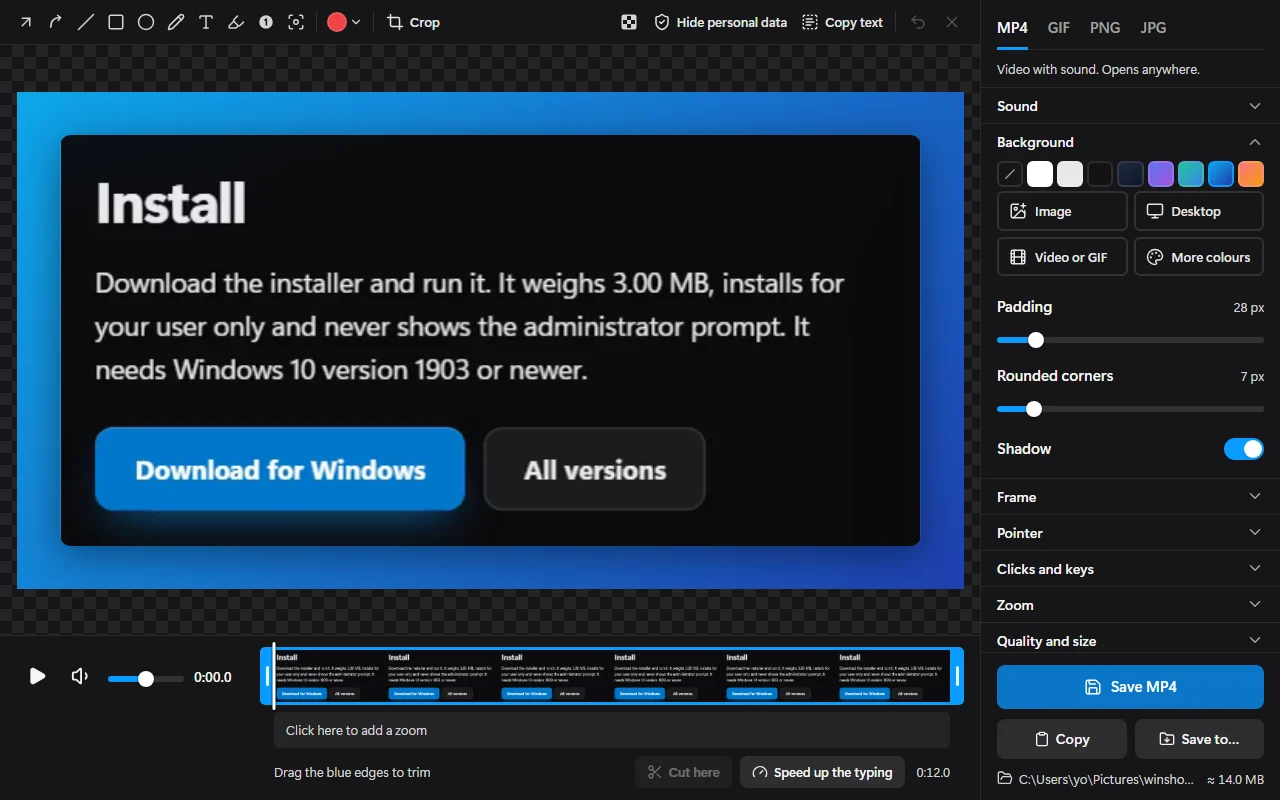
- A renewed editor: it follows the light or dark theme, the drawing toolbar fits in one row and every button tells its key, and the export panel is one column with groups that fold.
- The editor opens long recordings sooner: the strip of a one-minute clip is ready in 0.7 s instead of 2.8.
- Window or laptop frame: put the capture inside a Windows 11 window or a laptop, in the picture and in the video, without shrinking it.
- Search the history by the text in your shots: winshotx reads it in the background with Windows' own OCR, and uploads nothing.
- Fixed aspect ratio while cropping: press X while you drag to go through 16:9, 1:1, 9:16 and 4:3.
- The last few seconds cost far less: with the ring on and only the mouse moving, 86% less CPU, because the graphics card compares every frame and only what changed is read.
- The welcome, the tray menu, the recording bar and the crop get the new look: bigger text, the real logo and no boxes. And a volume control for the editor preview.
Move what you draw, and settings sized to fit
Version 0.4.7 · 14 November 2026
- Drawn marks move: grab an arrow, a box or a text you already placed and drag it somewhere else. Double-click a text to rewrite it, Delete removes it and Ctrl+Z undoes it.
- Recolour what you selected: with a mark selected, click another colour and it takes it. Ctrl+Z gives its own back.
- Settings open at their size: each tab is as tall as what it holds, with no empty space at the bottom, and the window never goes off screen.
- Opening winshotx by hand shows the settings; when it starts with Windows it stays in the tray, as always.
- The tour lights up the tab it is talking about at every stop.
- The tray menu no longer shows up blank with third-party docks such as MyDockFinder.
Type on the image and mute the preview
Version 0.4.6 · 14 November 2026
- Text is typed right on the image: with the «T» you click wherever you want, type in place, and it is kept with Enter or a click outside. Escape throws it away.
- Mute the preview with the speaker next to play, or with the M key. The video you save still comes out with its sound.
- A track that was recorded silent says so: if the microphone sent nothing or the app that was playing was turned way down in the Windows volume mixer, you see it under its control instead of thinking the preview is broken.
- A Support button in the settings bottom bar, to buy me a coffee.
AI agents, your voice on its own track and a rounded webcam
Version 0.4.5 · 12 November 2026
- For AI agents: Claude Code, Codex or Cursor record your screen, stop, export the video and take screenshots with winshotx, through the winshotx agent command or its MCP server. The red frame shows while they record, as always.
- Your microphone and the PC sound, each on its own track: in the editor you turn each one up, down or off on its own.
- Sounds: pick the click sound (soft, deep, tap or your own), and a short marimba tells you right before recording, without ending up in the video.
- Your webcam, live from the first frame, and as a square or a rectangle with the corner rounding you want.
- The red frame around what you record, crisp at any scale, with rounded corners and a soft shadow.
Zooms you place, your own backgrounds and your webcam
Version 0.4.0 · 12 November 2026
- Zooms you place: every zoom is a block on the timeline that you add, move, stretch or remove, and while recording Ctrl+Shift+9 drops one where the mouse is. You can also cut a piece out of the middle and speed up the slow parts.
- Your own backgrounds (an image, your wallpaper, any colour or a video that moves with the recording) and your webcam, wherever you want it, in a circle or a square and with a border.
- The pointer: smoothing none, little or a lot, a click sound and a ripple on every click, a motion trail, and it hides and zooms in while you type. With named styles, the same look carries over to the next recording.
- Cover up personal data in a video with one click: emails, phone numbers, ID numbers, cards and accounts show up as mosaic blocks you can remove. And the mosaic is now coarse enough that the numbers cannot be guessed.
- Screenshots: scrolling capture of a long page, a background with air and a shadow, a thumbnail in the corner that you can drag into any app, new marks, QR codes and a history of everything you captured.
Trim on the timeline
Version 0.3.8 · 8 November 2026
- Trim on the timeline: drag its two blue edges and the preview shows the exact cut, down to the millisecond.
- A new Studio panel: eight backgrounds, rounded corners and a shadow, a smooth pointer that loses the hand shake, the zoom speed and the volume.
- A simpler editor: drawing tools on top, play and time next to the timeline, and the save buttons named.
- Saving as GIF failed every time since 0.2.26: not any more.
- Over a still screen, the pointer no longer freezes and then jumps in the saved video, and saving with a background is twice as fast.
Recordings keep their ending
Version 0.3.7 · 29 October 2026
- Recordings no longer lose their ending when the screen stops changing: they last exactly what the recording bar said, pauses left out.
- A still stretch in the middle of a recording keeps its full length, where before it was cut to 10 seconds.
- Hovering highlights the window you can see, not a smaller one hidden behind it.
- With several screens, the magnifier, the highlight and the mode bar only show on the one with the cursor, and the settings no longer say a shortcut is taken by another app when it was winshotx itself.
- The Chinese translation is complete again, and thanks to Tyrone and wang13zhe, who found these bugs.
The toolbar no longer gets recorded
Version 0.3.6 · 21 October 2026
- The recording toolbar no longer ends up inside the video, not even when recording the whole screen: you still see it and click it, and the video shows what is behind.
- If your Windows does not support the modern capture, the settings say so, instead of leaving you guessing why photos of some windows come out with black patches.
Shots without black holes
Version 0.3.5 · 21 October 2026
- Shots of windows drawn by the graphics card no longer come out with black holes.
- Photos now use the same modern capture as recordings: in the test, 19 to 34 of every 80 photos used to come out wrong, and now none do.
- Where Windows cannot use it without adding a yellow border, the old capture is still used, and taking a photo is no slower.
A clearer editor
Versions 0.3.3 to 0.3.4 · 17 October 2026
- Recording a small strip, under 64 pixels a side, gives you a video again.
- One-click aspect ratios: 9:16, 4:5, 1:1 and 16:9, with the crop already placed and centred.
- The editor opens right away when you rescue the last few seconds, and saving is 22% faster.
- A clearer screen: save always in view, controls with names (Start and End instead of A and B) and settings that fit without scrolling.
- The play button no longer waits forever if the notice saying the video is ready never arrives.
The marks follow the window
Version 0.3.2 · 16 October 2026
- The click rings and the mouse trail no longer stay behind when you move the window you are recording: they go with it.
Record a single window
Version 0.3.1 · 16 October 2026
- Press W with a window highlighted and only that window gets recorded.
- Whatever passes in front of it (a notification, another window, the file explorer) no longer lands in the video.
Cover personal data in one click
Version 0.3.0 · 16 October 2026
- The editor's shield looks for emails, phone numbers, cards, bank accounts and ID numbers, and drops a mosaic over each one.
- It does not go by shape alone: it checks the check digit of the card and the IBAN, and the letter of the ID number, so it will not cover half a document by mistake.
- Copy the text out of an image from inside the editor too, and from a recording.
- Your latest shots live in the tray menu: a thumbnail and one click to put it back on the clipboard.
- winshotx speaks Chinese, thanks to the translation wang13zhe sent in.
Capture straight into the editor
Version 0.2.28 · 15 October 2026
- Win+Shift+L captures and opens the editor in one go, skipping the selection toolbar.
- Handy when you already know you are going to point at something, cover up a detail or crop before sending it.
- Your usual shortcut is untouched, and if another program has taken that combination, you can set your own in the settings.
Marks stay inside the image
Version 0.2.27 · 15 October 2026
- The marks you draw on a shot (arrow, box, highlight, blur, numbered steps and text) no longer land outside the image.
- If you crop the shot, whatever falls outside now disappears instead of showing up squashed against the border.
- An arrow pointing outwards keeps its direction, and a step or a text against the edge fits whole.
Save wherever you want
Version 0.2.26 · 20 September 2026
- Ctrl+Shift+S saves each shot wherever you want, with the folder and name you choose, and Ctrl+S still goes to your usual folder.
- If you record while narrating with nothing playing on the speakers, your voice now makes it into the video.
- The tray menu no longer sneaks into the video while you record.
- It runs lighter: the last few seconds use four times less of your computer, and saving a video takes a third less time.
See what is being recorded
Version 0.2.25 · 12 September 2026
- A thin red frame surrounds what is being recorded, and the bar says whether it goes to MP4 or GIF and whether sound is coming in.
- The pointer in the video is your real cursor, with its own shape, and it can be drawn bigger without looking blocky or showing two.
- The click zoom moves with inertia instead of jumping, and it shows live in the editor before you save.
- Stopping a recording no longer makes you wait, because the editor opens right away, and pausing no longer pushes the sound out of sync.
The magnifier stays clear
Version 0.2.24 · 9 September 2026
- The magnifier no longer sits on top of what you are looking at: near an edge it flips to the other side.
- The action bar no longer ends up off screen: when the selection is as tall as the display, it moves inside, against the bottom edge.
- With full screen and the action bar turned on, the bar now appears so you can copy, save, edit or pin, the same as with Ctrl+A.
The selection opens instantly
Version 0.2.23 · 5 September 2026
- With three screens, the selection is already painted 114 milliseconds after the shortcut, against 590 before.
- The “Getting the capture ready” screen is gone: no screen shows until its image is in place, and the one under the mouse goes first.
Much faster GIFs
Version 0.2.22 · 5 September 2026
- Saving as GIF is 4 to 36 times faster depending on quality, with truer colours.
- A GIF now lasts exactly as long as the recording did: it used to come out 10% too fast.
- Cropping and copying answer sooner, because they no longer read the screen back from disk.
Options at hand while capturing
Versions 0.2.19 to 0.2.21 · 4 September 2026
- Whether the action bar appears when you let go of the mouse is now chosen on the top bar (or with B), and it is remembered for next time.
- The last few seconds step aside for half a second while a capture opens, so the shortcut is not slowed down, and the rescued clip has no gap in it.
- The Smoothness row says what the measured combinations cost, and the most expensive one says it in amber.
- Start with Windows launches the installed copy, not an old one that asked to update every time you turned the computer on.
- If your Windows lacks the component winshotx draws its windows with, it now says so in a dialog instead of opening an error page.
Captures open sooner
Versions 0.2.13 to 0.2.18 · 31 August 2026
- With several screens, they are all frozen at once instead of one after another, so the selection shows up sooner and more steadily.
- Back to back captures open sooner and no longer get slower one after another.
- The first capture of the day opens sooner too, because the selection windows get ready while the app starts.
- 0.2.13 could freeze right after installing: fixed in 0.2.14.
Leave with a single Esc
Version 0.2.12 · 31 August 2026
- A single Esc closes the capture, where the first one used to just clear the selection.
- You can start a crop by dragging under the top bar, and with the pointer over it the bar steps aside so you can see what is underneath.
About, and how to help
Version 0.2.11 · 30 August 2026
- Settings → The app now has an About section: who makes winshotx, the site, the code and where to report a bug.
- The guided tour ends on how you can help: a coffee, a star on GitHub or a bug report.
The shutter makes a sound
Version 0.2.10 · 29 August 2026
- The Shutter sound setting finally does something: a camera click plays when you capture, copy, save, open in the editor, pin or read the text.
- It comes off, as before, and its row now has an explanation on hover.
Saving videos 4.5 times faster
Version 0.2.9 · 29 August 2026
- A 50 second recording took two minutes to save, and now it takes 27 seconds.
- Shrinking a video no longer makes some letters thinner than others.
- Copying a video leaves the file and its path too: where files can be dropped you paste the video, and in a text box, the path.
A quieter bottom bar
Version 0.2.8 · 29 August 2026
- When you are up to date, updates are just a green tick in the bottom bar, which is also the button to check again.
- The full sentence comes back when there is something to say: a new version, a download under way, a pending restart or an error.
A new tray menu
Version 0.2.7 · 29 August 2026
- The tray menu is now a small winshotx window, with the same colours as the rest of the app.
- The last few seconds turn on with a switch right there, each entry shows its shortcut and the version sits on top.
- While you record, the record entry says Stop, and a second right click closes the menu.
- In the settings, a bottom bar with what you touch often: theme, language, what happens when you let go of the mouse, the guided tour and updates.
Every setting, explained
Version 0.2.6 · 29 August 2026
- Rest the mouse on a setting's icon and it explains what it does, what it costs and when to turn it on.
- 28 of the 29 rows have an explanation, in Spanish and in English.
- It also shows with the keyboard, reaching the icon with Tab, and Escape hides it, so it works with a screen reader.
Copy takes what you drew
Version 0.2.5 · 29 August 2026
- When you copy a shot, what you paste now carries the arrows and boxes you drew, the crop, the frame, the scale and the zoom, as saving always did.
Play, for real this time
Version 0.2.4 · 29 August 2026
- The preview of what you rescue gets ready in half the time (from 21 to 11 seconds), and saving still comes out at the quality you ask for.
- While it gets ready, the button shows the percentage and looks disabled: “Preparing playback… 45%”.
- If the preview does not come out, it says so too, instead of leaving you waiting.
- A still screen is no longer saved empty: thirty seconds without movement came out as a 66 millisecond video.
Play works on rescued clips
Version 0.2.3 · 29 August 2026
- The play button now works on what you rescue from the last few seconds.
- The editor opens right away with what is ready, and play turns on by itself as soon as the preview video is done.
- Meanwhile the button shows up disabled with “preparing playback…” instead of just sitting there.
- Writing a whole video from a recording is faster, because each frame is no longer rebuilt from scratch.
Quality, by size
Version 0.2.2 · 29 August 2026
- The last few seconds row says where it records from, at what size and how many megabytes per second it writes to disk.
- Quality is picked by size: 720p, 1080p or the screen's own, and dropping to 720p keeps 30 seconds in 438 MB instead of 987 MB.
- When you pick a screen, its number shows on that screen for two seconds.
- The whole section fits without scrolling.
Pick the screen and quality
Version 0.2.1 · 29 August 2026
- Pick which screen the last few seconds watch: the one with the mouse or a specific one, and if you unplug it, it falls back to the mouse's.
- Pick the quality: 15, 30 or 60 frames per second.
- Before you turn it on, it says how much disk it can take up, and that number is the real cap.
- The save key no longer shows in red with the feature off, as if another program had it.
- Large sizes are counted in gigabytes, and the option pickers tell screen readers which one is selected.
The last few seconds, always recorded
Version 0.2.0 · 29 August 2026
- The last few seconds: winshotx keeps recording and throws away the old, and Ctrl+Shift+6 keeps the last 15, 30 or 60 seconds without stopping.
- It comes off and is turned on in Settings → Record, and the row always says which screen it is watching and how much disk it uses.
- Pick the speed when saving a video (0.5×, 2× or 4×), and the panel warns beforehand that at any other speed it comes out silent.
- Numbered steps in the editor, with the 5 key: they number themselves, and hiding details moves to the 6 key.
Zoom on clicks
Version 0.1.19 · 28 August 2026
- Zoom on clicks: when saving, the camera moves in on where you click and follows the mouse smoothly, and it comes off by default.
- A big, sharp pointer can be drawn on the video, and the editor warns if the recording already has the Windows one, so you do not get two.
- The click rings and the shortcuts are decided in the editor when saving, so you can drop them without recording again.
- Two shots saved in the same second no longer overwrite each other: the first one used to be lost.
- If copying the video to the clipboard fails, it now says so instead of doing nothing.
Crop and save as JPG
Version 0.1.18 · 27 August 2026
- Crop the framing of a shot or a recording in the editor, not only its length.
- Save a shot as JPG, which weighs far less when you send it by email.
- C copies the colour under the cursor, and the selection stays open in case you want more.
- A pinned shot can now be saved and have its text read, and the shots folder is in the tray menu.
- What you draw near the edge no longer comes out shifted in the saved file.
Draw on your shots
Version 0.1.17 · 27 August 2026
- Draw on a shot before saving it: arrow, box, text, highlight and hide details, with keys 1 to 5 and Ctrl+Z to undo.
- Pin a shot on top of everything with A, and T copies the text out of the image without it leaving your computer.
- Put the shot on a background when saving, with margin and shadow.
- Record the microphone too, mixed in with the system sound.
- In the recording, a ring marks every click and the shortcuts you press are shown, only the shortcuts, so a password never shows up.
Records the system sound
Versions 0.1.14 to 0.1.15 · 27 August 2026
- It records the system sound, which reaches the saved video and plays in the editor.
- Long recordings take up far less disk: only what changes between frames is stored.
- The recording bar stays on the screen you are recording.
Now in English too
Version 0.1.13 · 27 August 2026
- winshotx speaks English, and picks the language from Windows.
- It is translated in full, tray menu included.
Light theme
Version 0.1.12 · 26 August 2026
- A light theme arrives, following the Windows one by default.
- After an update, the app opens Settings instead of quietly going back to the tray.
Countdown and repeat capture
Version 0.1.11 · 26 August 2026
- R takes the last capture again in the same spot, and 0 takes every screen at once in a single image.
- A countdown of 3 or 5 seconds before capturing, so you can shoot an open menu, and an option to hide the desktop icons in the shot.
- Two guide lines cross the screen while you aim, to line the crop up with whatever is on the far side.
- Saving and copying a shot is three to six times faster.
- Settings have the sections on top, with one on screen at a time, and a guided tour that walks through them.
Each screen shows its own
Version 0.1.10 · 26 August 2026
- With two or three monitors, the other screens showed the main one repeated and the crop came from it: not any more.
- Capturing is faster: the selection windows get ready at startup and are reused, instead of being built for every capture.
- In exchange, the app takes a little longer to start, which happens once a day.
A bar on top when capturing
Version 0.1.9 · 25 August 2026
- Selecting brings up a bar on top, where Windows puts its own, to pick photo, video or GIF before cropping (keys F, V and G).
- With several monitors, each screen shows its number, and 1, 2 or 3 takes that whole screen, wherever the mouse is.
- Highlighted windows carry their name on top, so it is clear a click captures them whole.
- Recording follows the capture profile, and with “Copy it for me” you can now record, which used to be impossible.
- The Settings window comes to the front when opened from the tray, instead of staying hidden.
Win+Shift+S without signing out
Version 0.1.8 · 25 August 2026
- Taking Win+Shift+S no longer needs you to sign out: the Apply button restarts Explorer and it is ready in two seconds.
- Simpler settings: four groups instead of five, and eleven of the eighteen rows on a single line.
- A warning no longer reads like a fact: amber for what to read before touching, green for what is already sorted.
- The welcome no longer flickers when it opens, and the app honours the Windows reduced motion setting.
- The mark carries the X everywhere, the icon included.
Welcome and capture profiles
Version 0.1.7 · 25 August 2026
- The first time, a welcome walks you through what cannot be guessed: how to capture, the shortcuts and whether it starts with Windows.
- Two capture profiles: the selection copies itself when you let go of the mouse, or a bar with options comes up.
- The Print Screen key can open winshotx instead of the Snipping Tool.
- Win+Shift+S can be winshotx's too, with the price stated up front: you lose Win+S, the search, and you have to sign out.
- Setting a shortcut with the Windows key saved Ctrl instead: not any more.
New logo and icon
Version 0.1.6 · 24 August 2026
- winshotx gets a new logo, which is also the app icon and reads well in the system tray.
- The shortcut field no longer keeps waiting for keys after saving one, nor saves combinations Windows cannot use.
More reliable settings and recording
Versions 0.1.4 to 0.1.5 · 23 August 2026
- The Settings window now fits on small displays or with enlarged text, and it refreshes every time you open it.
- The recording bar no longer stays floating with no buttons when something fails while stopping.
- Moving the end of the trim no longer skips a frame, which also ended up in the saved file.
- The Spanish texts in the app and the installer now carry their accents.
- The microphone says “not available yet” instead of pretending to record.
Update with one button
Versions 0.1.2 to 0.1.3 · 21 August 2026
- The app updates from Settings with one button: it checks for a new version on its own and installs nothing until you press it.
- Every download is checked against a signature, so a tampered installer is rejected.
- Anyone on 0.1.1 or older has to install this one by hand, because those versions cannot tell them.
- The magnifier no longer picks the wrong pixel near the screen edges, and the colour no longer freezes while dragging.
Goodbye to the black screen
Version 0.1.1 · 21 August 2026
- In 0.1.0 the screen went black when capturing or recording and nothing could be done: fixed, and if it fails again it warns you and Esc gets you out.
- Ctrl+S saves from the editor without reaching for the mouse.
- The recording bar warns in amber when the cache goes over 1 GB.
- A still shot no longer opens as MP4 instead of PNG, and two clicks on Save no longer start two exports.
- Running winshotx twice no longer leaves the shortcuts fighting, and emptying the cache with the editor open no longer pulls its frames away.
First public release
Version 0.1.0 · 20 August 2026
- Capture a region over the frozen screen, with a magnifier that gives the exact colour of each pixel, or a whole window with one click.
- Record the region at 15, 30 or 60 frames per second.
- An editor with thumbnails, start and end trimming, loop playback and resizing that keeps the proportions.
- Save as GIF, MP4 or PNG, to disk or to the clipboard, with shortcuts you set by pressing the keys.
- A 1.5 MB installer, no administrator rights and nothing else to install.